Robinhood DRIP (Dividend Reinvestment) in 2024
Robinhood Rating:

Robinhood Dividend Reinvestment
Any dividend-paying stock or ETF that supports fractional shares is
eligible for Dividend Reinvestment
at Robinhood.
Enable Robinhood DRIP
To enable Dividend Reinvestment on the Robinhood website, go to Account > Investing > Settings >
Investing > Dividend Reinvestment.
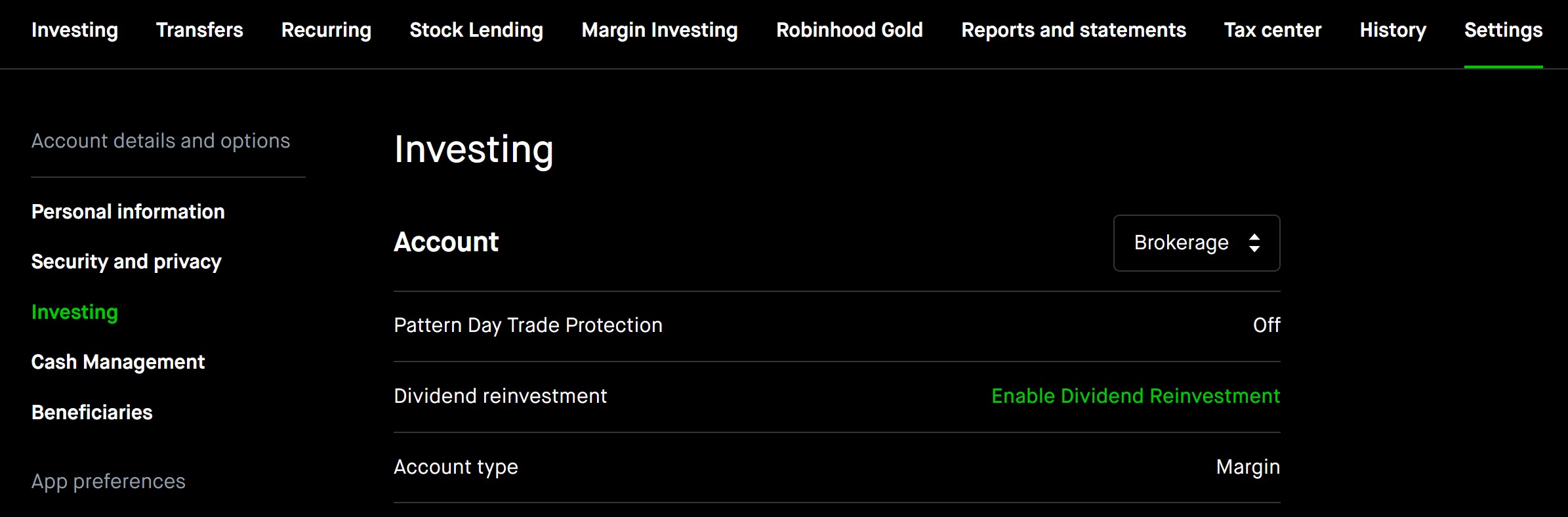
Once you enable Dividend Reinvestment, you’ll see a list of investments you own or have previously owned with a pending dividend that are eligible for dividend reinvestment. These investments will reinvest dividends by default, but you can choose which of these investments you’d like to reinvest cash dividends for by tapping the circle or checkmark.
How do I see my pending and past dividend reinvestments?
To see all your pending and past dividends and dividend reinvestments:
Tap Account (person icon)
Tap History
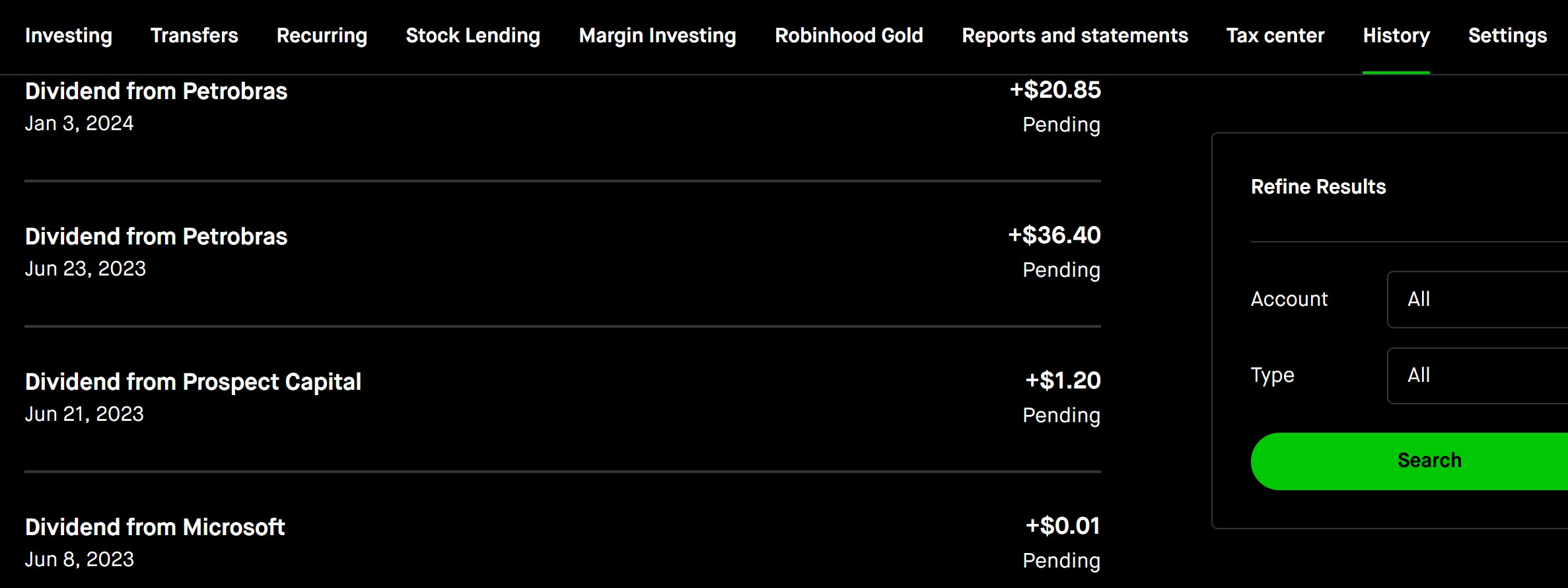
You’ll see a list of all of your history on Robinhood, including your dividend reinvestments.
To see your pending and past dividends and dividend reinvestments for an individual stock, go to the individual stock detail page. You’ll see pending dividends and pending dividend reinvestments under “Upcoming Activity,” and past dividend payments and reinvestments under “Your History.”
Robinhood Promotion
Free stock up to $200 and 1% IRA match when you open an account.
Open Robinhood Account
Dividends at Robinhood
Robinhood processes your dividends automatically. Cash dividends will be credited as cash to your account by default, but not
automatically reinvested in the stock.
How Does Robinhood Work?
Robinhood Financial is a mobile app available for both iPhone and Android devices that enables
users to trade on major stock exchanges and securities markets directly from their phones.
Robinhood takes pride in being completely free, with no commissions, fees, or mandatory subscription charges.
Creating a Robinhood Financial account is a quick process after installing the app. Bank verification may take
some time, similar to other apps that sync with your bank account. Users are also required to provide
additional background information, and make tax disclosures to open an account, as per standard
requirements for any brokerage firm.
Once the account is set up, users can start trading immediately without any trading fees or
commissions.
Robinhood offers increased buying power through its premium product, Robinhood Gold, which provides
margin borrowing.
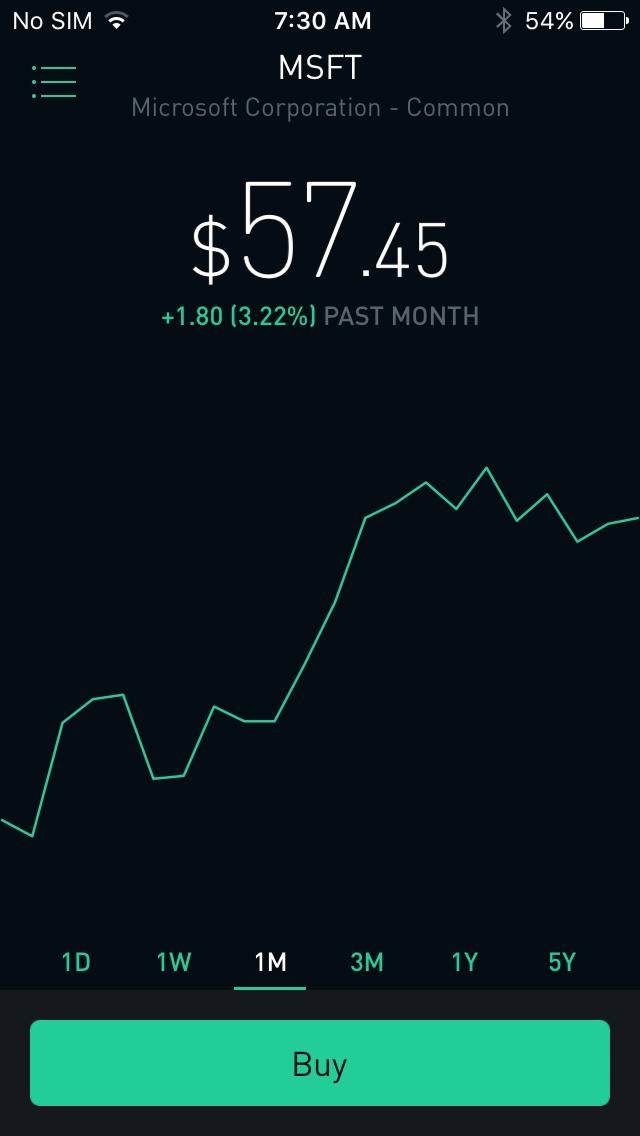
The user interface of Robinhood is designed to be simple and intuitive. After opening the app, users
are presented with important performance metrics for their investments, real-time quotes, and brief
news updates. Selecting an individual security opens up charts displaying the security's performance
over different timeframes, as well as the user's own returns and relevant news related to that
security.
Robinhood Promotion
Free stock up to $200 and 1% IRA match when you open an account.
Open Robinhood Account